

Screens and settings
Production Job Page
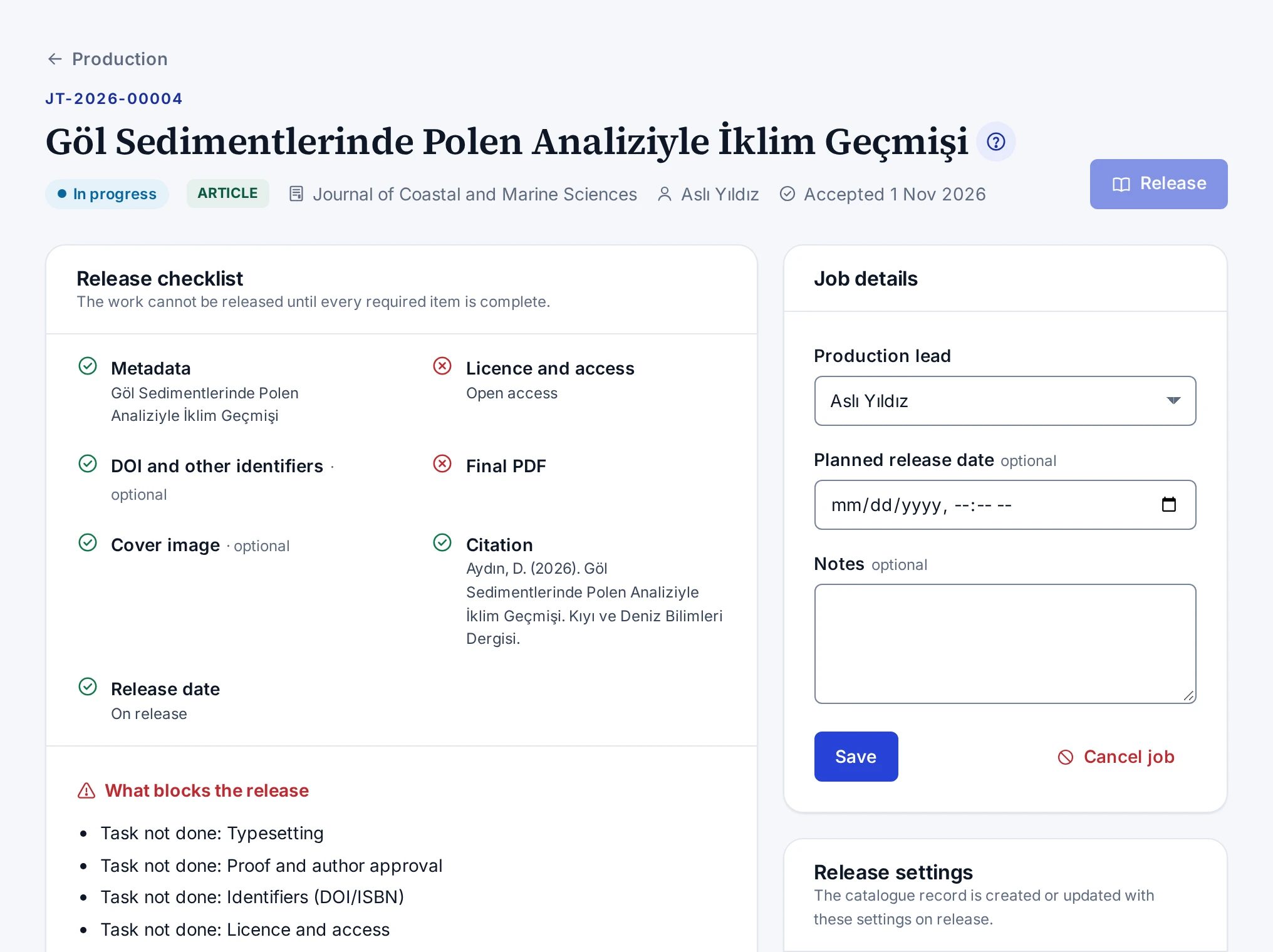
The checklist, tasks, files, front matter, comments, job details and release settings cards on the page of a production job.
When you open a job from the board, the header shows the title, submission number, type and journal of the work, the production lead, the planned release date and the acceptance date. Without the production permission, you can only view the page, and a note says so. When the production lead's account was closed, the Account closed label appears next to the name, and the production coordinators receive the notifications meant for the lead.
Top buttons
- Open the submission opens the editor page of the submission and appears to people who can see the editor queue.
- Open the catalogue record opens the catalogue record once the job is released.
- Release opens the release dialog. While an item blocks the release, the button cannot be pressed.
Cards
| Card | What it shows |
|---|---|
| Release checklist | The metadata, licence, identifier, final PDF, cover, citation and release date items, and what blocks the release |
| Tasks | The tasks of the checklist with their statuses, assignees and due dates |
| Files and proofs | The versions of the proof, final PDF, EPUB, cover and other files |
| Front matter | The front matter for the first page of the article. Shown for articles only. |
| Comments | The comments of the team and the author |
| Job details | The production lead, planned release date, notes, cancelling and reopening |
| Release settings | The access, licence, identifier, placement and address settings of the catalogue record |
Rules of the screen
- On a released or cancelled job, tasks and settings cannot be changed. Reopen the job to change them.
- You cannot upload files to a cancelled job.
- The assignee of a task can change the status and the note of their own task, even without the production permission.
- While a file is being scanned for viruses, the page refreshes itself every few seconds.
The steps are in Planning a Job, Managing Tasks, Uploading Files and Sharing Proofs, Filling in the Release Settings and Releasing a Work.