

How-to
Preparing an ISBN Request
Opening an ISBN request for a book in the catalogue or for a title only, filling in the data for the Ministry form and sending the request to the publishing board for approval.
The Production coordinator prepares the ISBN request. The request does not move on to the application at the Ministry of Culture and Tourism until the publishing board approves it.
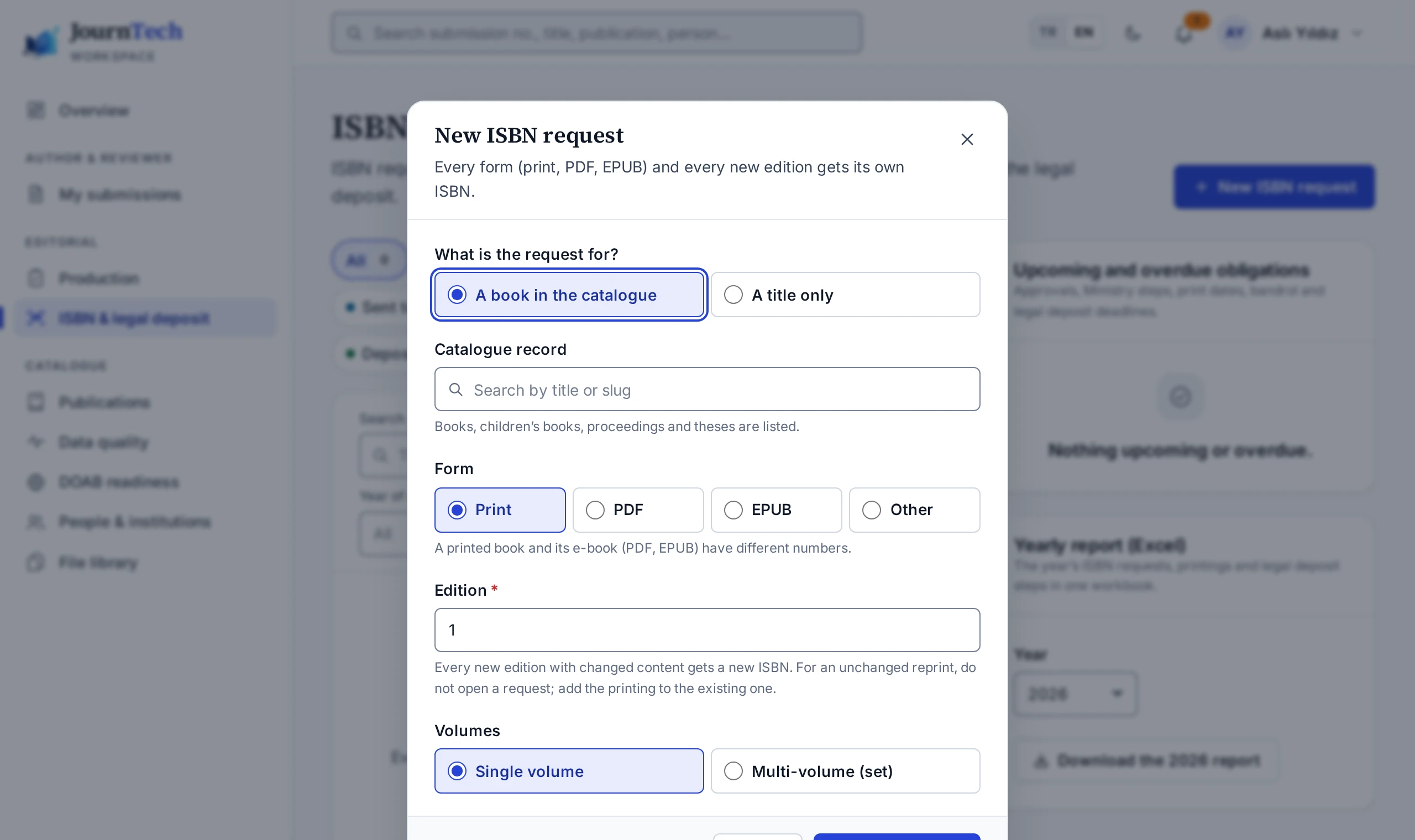
Opening a request
- On the Editorial → ISBN & legal deposit screen, press New ISBN request. The Open an ISBN request button on the ISBN requests card of a catalogue record opens the same dialog.
- With A book in the catalogue, choose the book from the catalogue. For a book that has no catalogue record, select A title only and type the title.
- Under Form, select Print, PDF, EPUB or Other.
- Enter the edition number in Edition.
- For a multi-volume work, select Multi-volume (set) under Volumes.
- Press Open request.
Only book, children's book, proceedings and thesis records can be chosen from the catalogue. The title, authors, language and page count come from the catalogue record and can be edited in the request. A request opened with a title only is not linked to a catalogue record.
Data for the Ministry form
- On the request page, fill in the Data for the Ministry form card. Missing required fields are listed at the top of the card.
- Select the Author type, and add the people under Authors and contributors in the order of the Ministry form.
- For a printed book, complete Binding, Print run and the printer details.
- Press Save.
Sending for approval needs the following.
- The title and the language
- At least one author, unless the author type is No author
- The number of pages, for a printed or PDF book
- The planned print or publication date
- The printer's certificate number, for a printed book
The Note field stays in JournTech and is not part of the Ministry form.
Sending for approval
- Save the changes in the form.
- Press Send for approval and confirm.
The request becomes Awaiting approval and goes to the publishing board. While it awaits approval, the form cannot be edited. A request cannot be sent for approval until a valid publisher certificate is entered in Site settings. The approval steps are in Approving an ISBN Request.
Request rules
- Each form and each new edition gets its own ISBN. You cannot open a second request for the same form and edition of the same record.
- A change of binding also needs a new number.
- A reprint with unchanged content keeps the same number. Do not open a new request for it. Add a printing to the existing request as described in Tracking Legal Deposit.
- For a multi-volume work, you open a set request and add each volume with the Add volume button on the request page. The set and each volume get their own ISBN.
- To change a request that was sent for approval or approved, press Back to draft first. After editing, the request goes for approval again.
- A draft request is deleted with the Delete button. A request past the draft stage can only be cancelled.