

Screens and settings
My Submissions
The tabs, rows and buttons of the screen that lists all the submissions and drafts of an author.
The Author & reviewer → My submissions screen lists all the submissions and drafts you have made. Only your own submissions appear. Each page holds 20 submissions.
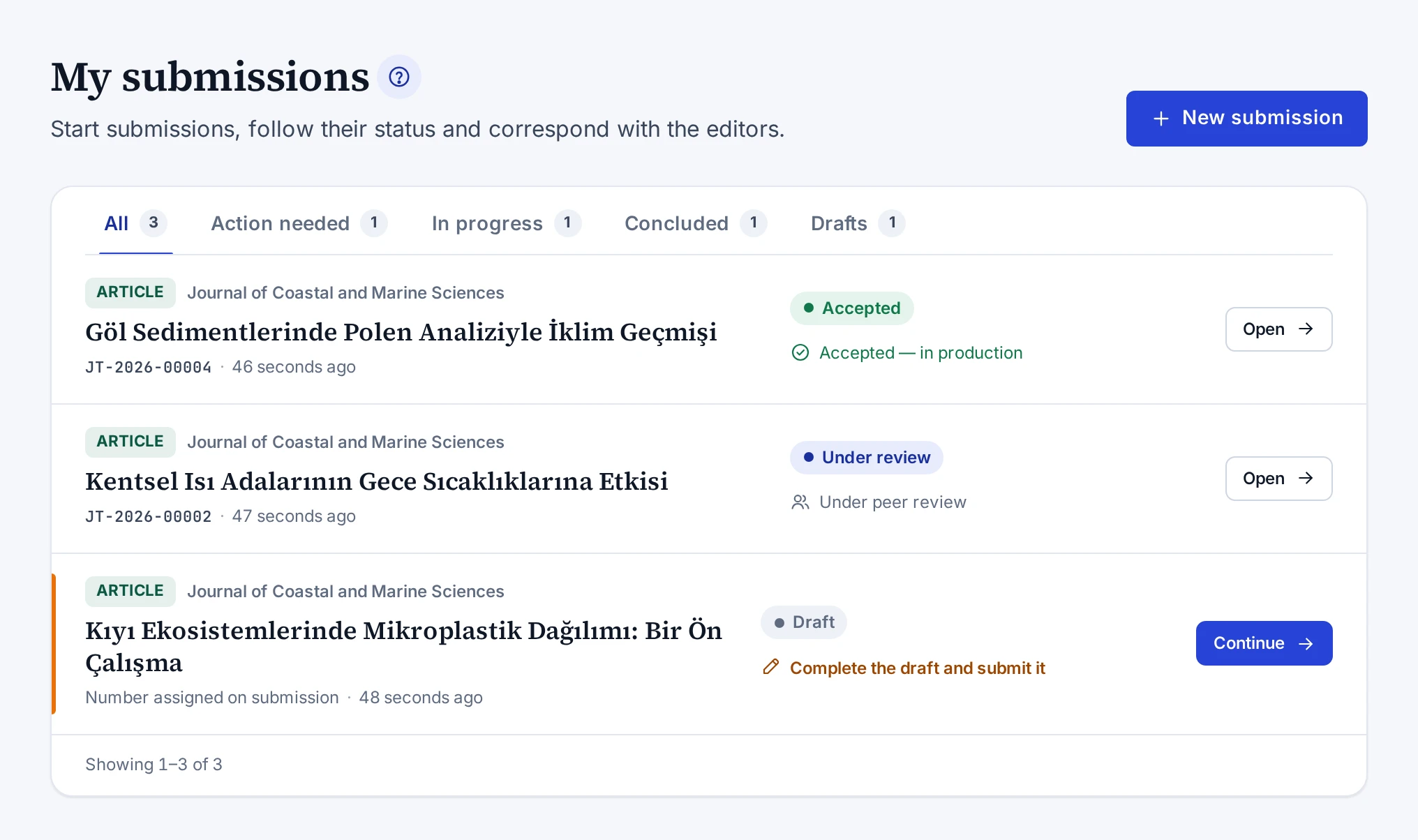
Tabs
| Tab | Submissions it shows |
|---|---|
| All | All your submissions |
| Action needed | Drafts, and submissions with missing documents or a requested revision |
| In progress | Submissions whose process is still running |
| Concluded | Accepted, rejected and withdrawn submissions |
| Drafts | Drafts that have not been sent |
| Deleted drafts | Drafts you deleted. The tab appears only while you have a deleted draft. |
The numbers next to the tabs count your submissions in each group.
Rows
| Part | What it shows |
|---|---|
| Top line | The type label and the journal. For types without a journal, Publisher appears in place of the journal. |
| Title | The submission's title. A draft without a title shows Untitled draft. |
| Bottom line | The submission number, the round if there is more than one, and the time of the last activity |
| Status | The status label and the next thing expected of you |
| Button | Continue, Complete, Revise or Open, depending on the status |
A draft shows "Number assigned on submission" in place of a number. A coloured line appears on the left of a row that needs something from you. The meaning of the statuses is in Submission Statuses.
Buttons
The New submission button opens the submission wizard. The button is disabled if your e-mail address is not verified or new submissions are closed. The reasons are in The New submission button is disabled or submissions are not accepted.
The button of a row opens the wizard for a draft and for a submission with missing documents. For the other statuses it opens the submission's page. The Restore button on the Deleted drafts tab brings a deleted draft back.