

Screens and settings
Reports Screen
The indicators and filters on the submission flow, publications, access, search, help and overdue tabs, and the CSV downloads with masked personal data.
The Administration → Reports screen shows publication, submission, access and search indicators on tabs. The screen is open to people whose report permission covers the whole platform. An Editor-in-chief whose role was granted for a single journal does not see this screen.
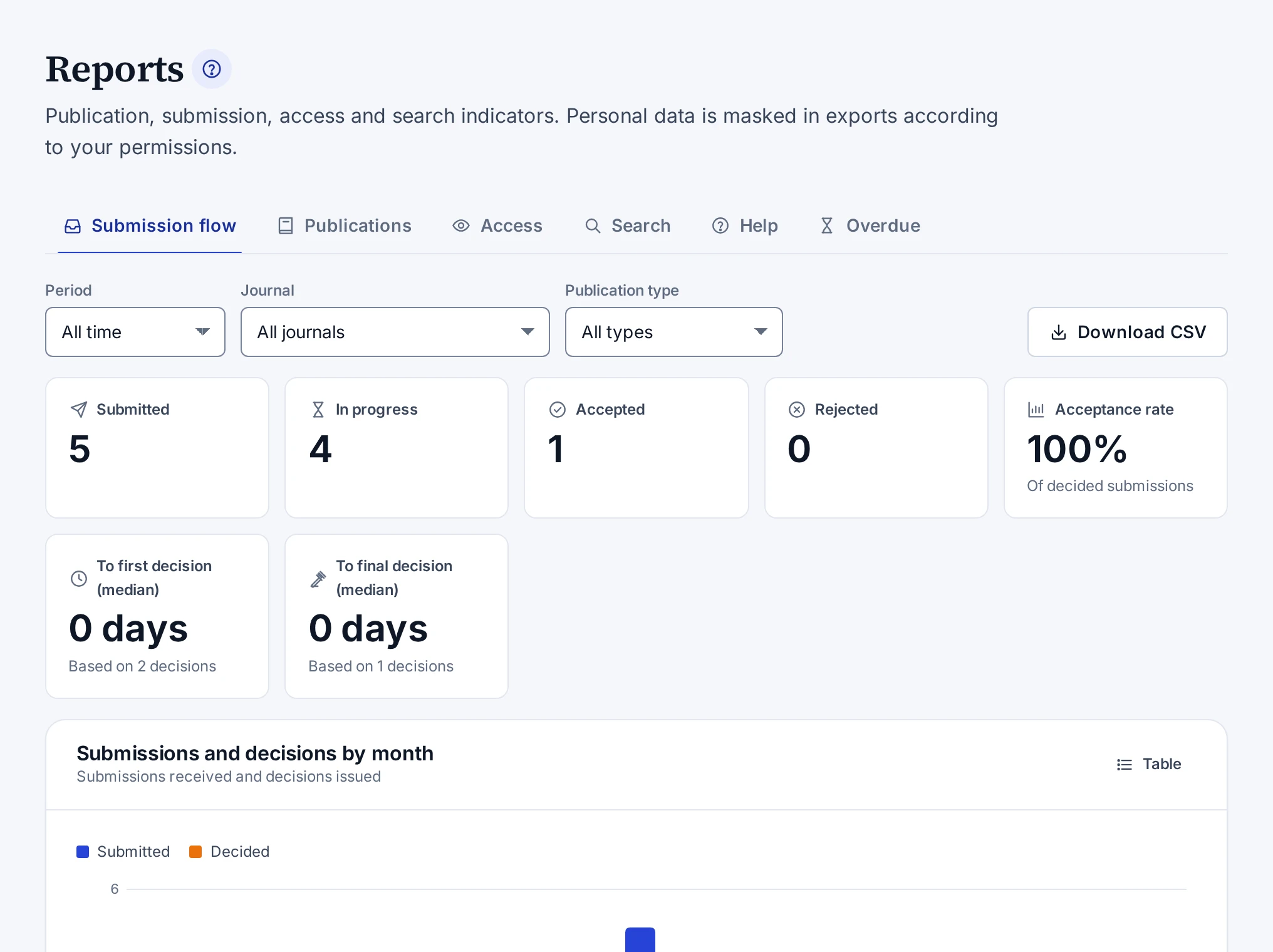
Tabs
| Tab | What it shows |
|---|---|
| Submission flow | Submitted, in-progress, accepted and rejected submissions, the acceptance rate, the median time to the first and to the final decision, and the breakdown by month, status, type and journal |
| Publications | Published works, works without a category, and the breakdown by type, access status, publication year, language and category |
| Access | View and download counts, a daily series and the most accessed publications |
| Search | The number of searches on the public site, searches without results and the most frequent searches |
| Help | Searches made in the help centre, words without results, the readers' answers and notes on topics, and topics that are due for review |
| Overdue | Overdue reviewer invitations, review reports and revisions, stalled submissions and late production tasks |
The acceptance rate is calculated from the submissions that received a decision. Access counts leave out bots, and IP addresses are not stored. Searches and help queries are counted without keeping user or IP details. The panel's global search does not count as a help search. The Table button of some charts shows the same data as a table.
The Stalled submissions list shows submissions that are submitted, in screening or have a submitted revision and have not been acted on for more than 14 days. Submissions you are an author of do not appear on the Overdue tab.
Filters
| Filter | Tabs where it appears |
|---|---|
| Period | Submission flow, Access, Search and Help |
| Publication year range | Publications |
| Journal | Submission flow and Overdue |
| Publication type | Submission flow, Publications and Access |
The Period list has the options All time, Last 30 days, Last 90 days, This year and Custom range. The filters stay in the address bar.
CSV download
| Tab | Button |
|---|---|
| Submission flow | Download CSV |
| Overdue | Overdue items (CSV) |
| Publications | Download CSV and People (CSV) |
| Access | Download CSV |
The downloaded file follows the filters on the screen. The Unit manager and System administrator roles can download reports. Personal data in the files is masked. Only the System administrator role has the permission to download unmasked data. The Personal data is masked note under the button shows that the file will be masked. Names and e-mail addresses on the Overdue tab are masked on the screen by the same rule.
Every download is written to the audit log. An attempt to open a report without permission is written to the audit log too.