

Screens and settings
Review Invitation Screen
The header and cards of the screen where an invitation and its review open, and its views for pending, accepted and closed invitations.
This screen opens when you open an invitation from the link in the e-mail or from the Reviewing screen. The screen shows one of three views, depending on the status of the invitation.
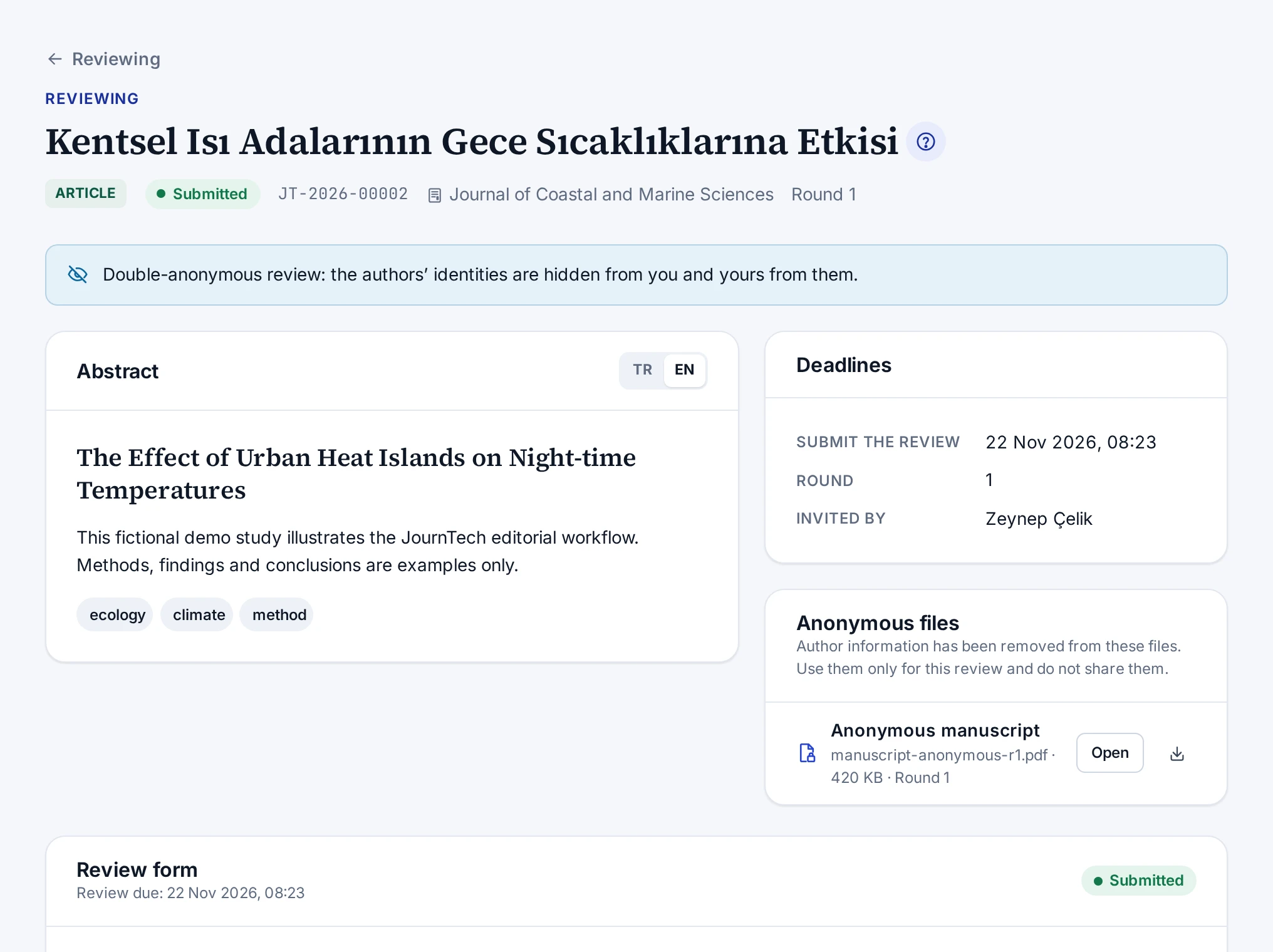
Header
The header is the title of the work. While the invitation awaits your response, Review invitation appears above the title. After you accept, this text becomes Reviewing. Under the title you see the publication type, the status, the submission number, the journal and the round. If the deadline has passed, the Overdue label appears.
The note under the title states the anonymity rule that applies. The rules are in Peer Review Types.
Invitation awaiting a response
| Card | Contents |
|---|---|
| Abstract | Title, abstract and keywords. Language buttons if the work is in two languages. In single-anonymous and open review, the authors and their institutions |
| Message from the editor | The message the editor added to the invitation. The card does not appear if the editor added no message |
| Deadlines | Respond to the invitation, Submit the review, Round and Invited by |
| Conflict-of-interest declaration | The declaration text and its version, the tick box, the Possible conflict of interest field and the Accept and start reviewing button. Below them, the Reason (optional) field and the Decline invitation button |
Accepted invitation
| Card | Contents |
|---|---|
| Abstract | The abstract card of the invitation |
| The author’s response to the reviewers | The author's response to the reviewers in a revision round |
| Deadlines | Submit the review, the round and the inviting editor |
| Anonymous files | Files stripped of author details, with the Open and download buttons |
| Review form | Criterion scores, recommendation, comments, reviewer list permission, attachment, and the Save draft and Submit review buttons |
| Note to the editors | Additional notes sent to the editors after the review was submitted |
Closed invitation
For an invitation you declined, an expired invitation or an invitation the editor closed, the screen shows only a note.
| Status | Note |
|---|---|
| Declined | You declined this invitation |
| Expired | The response time for this invitation has passed |
| Cancelled | The editor closed this invitation |
In this case you cannot open the files of the work.