

Screens and settings
Overview
The announcements, the work waiting for you in your roles, the latest notifications and the shortcuts on the screen that opens with the panel.
The Overview screen opens when you enter the panel and summarises the work waiting for you, based on your roles. Each box shows a number, and pressing most boxes opens the related list.
Top of the screen
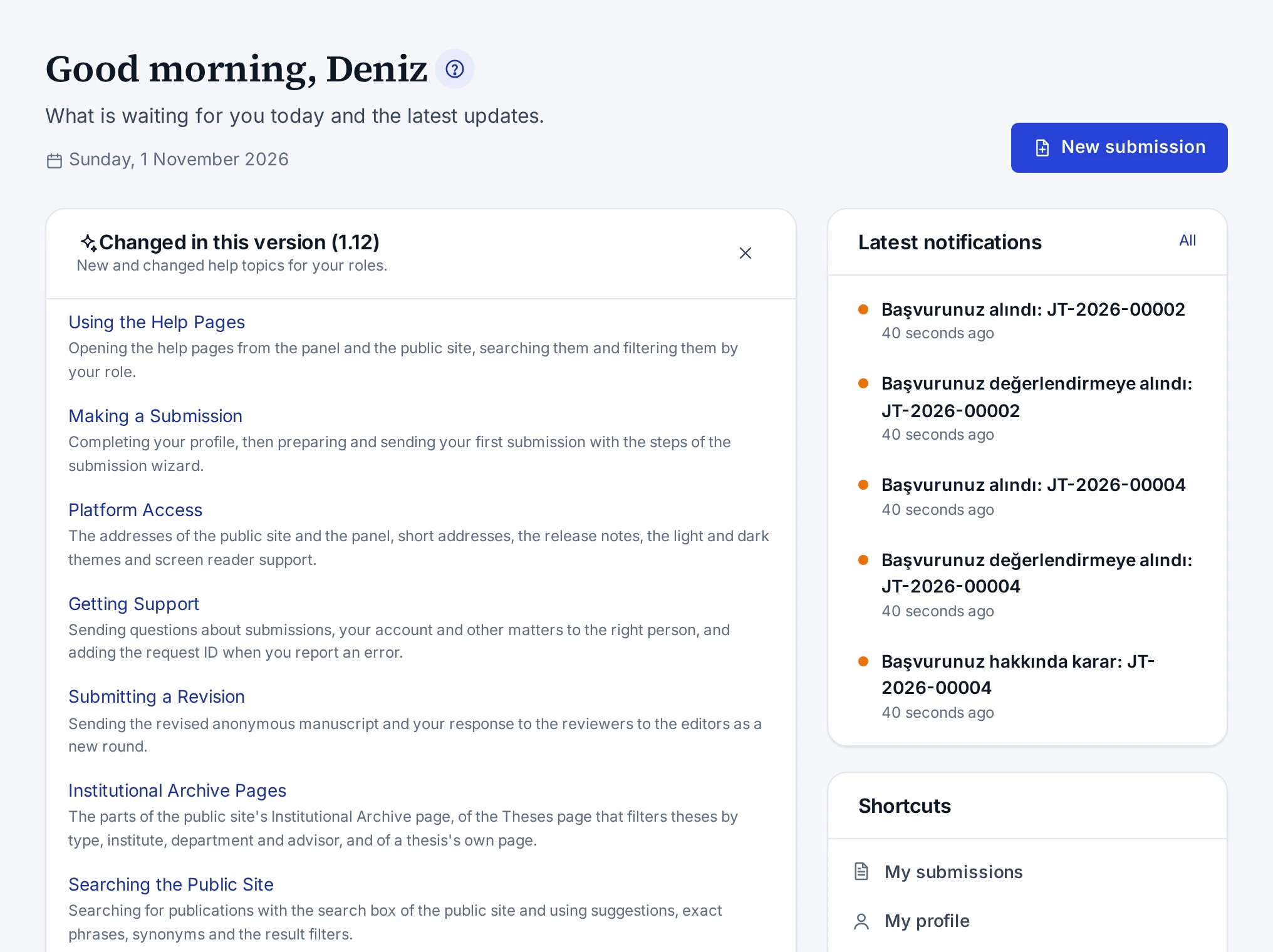
The header shows a greeting for the time of day, today's date and your roles other than Registered researcher. If new submissions are open, the New submission button opens the submission wizard.
Changed in this version
When the installation moves to a new version, the Changed in this version card lists the new and changed help topics that concern your roles. Pressing a topic opens it in the help panel. Once you close the card with the cross button, it does not appear again in this browser for the same version.
Announcements
Internal announcements for your roles are listed under the Announcements heading. The latest three announcements are shown, and the All announcements link opens all of them. You read the full text of a long announcement with the Show more link.
The newest announcement published in the last 30 days also appears as a bar at the top of the screens. The Read button in the bar opens the announcement on this screen.
Pending work
Each section appears only if you have the related role or work. The All link at the top of a section opens that section's screen. A box you can press opens the related list with that box's filter. For example, the Overdue box shows only the overdue submissions in the editor queue.
| Section | Boxes |
|---|---|
| Editorial | Awaiting screening, Awaiting decision, No editor assigned, Overdue, Assigned to me |
| Production | Jobs in progress, Ready to release, My open tasks, Overdue tasks |
| Reviewing | Invitations to answer, Reviews in progress, Overdue reviews, Completed |
| My submissions | The number of your submissions, Waiting for you, and the counts of up to three statuses |
| ISBN & legal deposit | Obligations that are overdue or due within 14 days |
| Catalogue | Draft publications, Awaiting publication, Published works |
| Institutional content | Draft pages, Pages in review |
| Administration | System health, Failed background jobs, Pending e-mails, Open data requests, Unverified accounts |
The My submissions section appears once your e-mail address is verified. The Waiting for you box counts your submissions that wait for a revision or for missing documents. If you have no submissions yet and new submissions are open, the section has a button that opens the wizard.
Latest notifications and shortcuts
The Latest notifications card on the right shows your last five notifications. The card's All link opens the Notifications screen.
The Shortcuts card has the links My submissions, My profile, Security and Back to the public site. If you have permission to see reports, a Reports link is added.